Skip to content
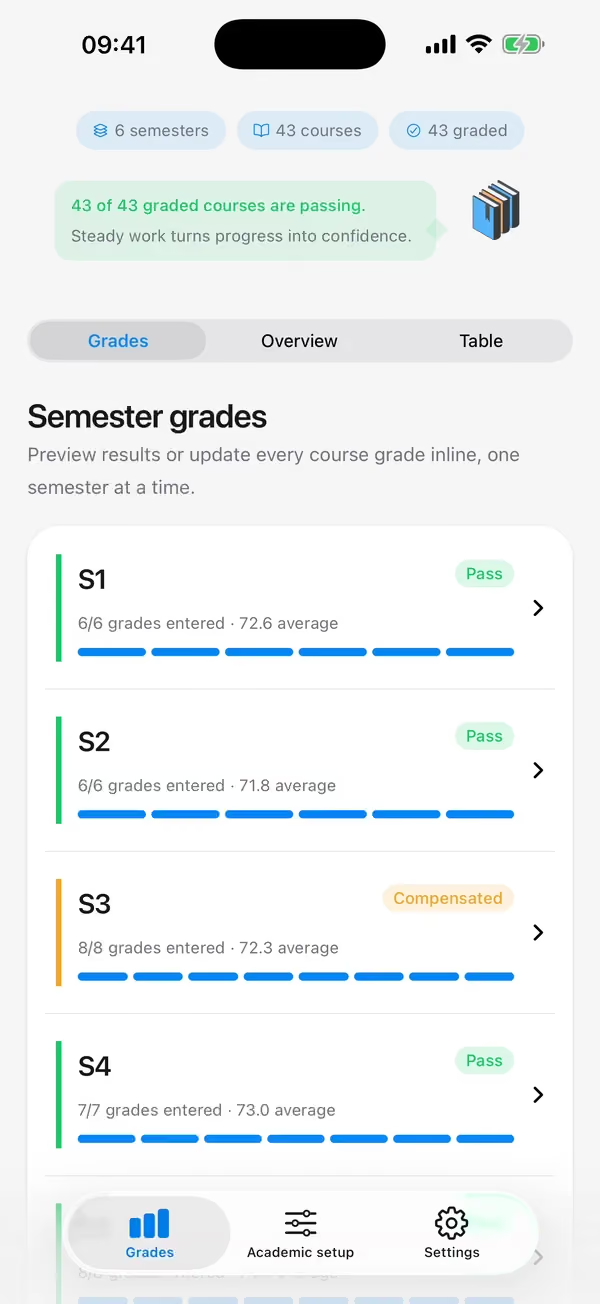
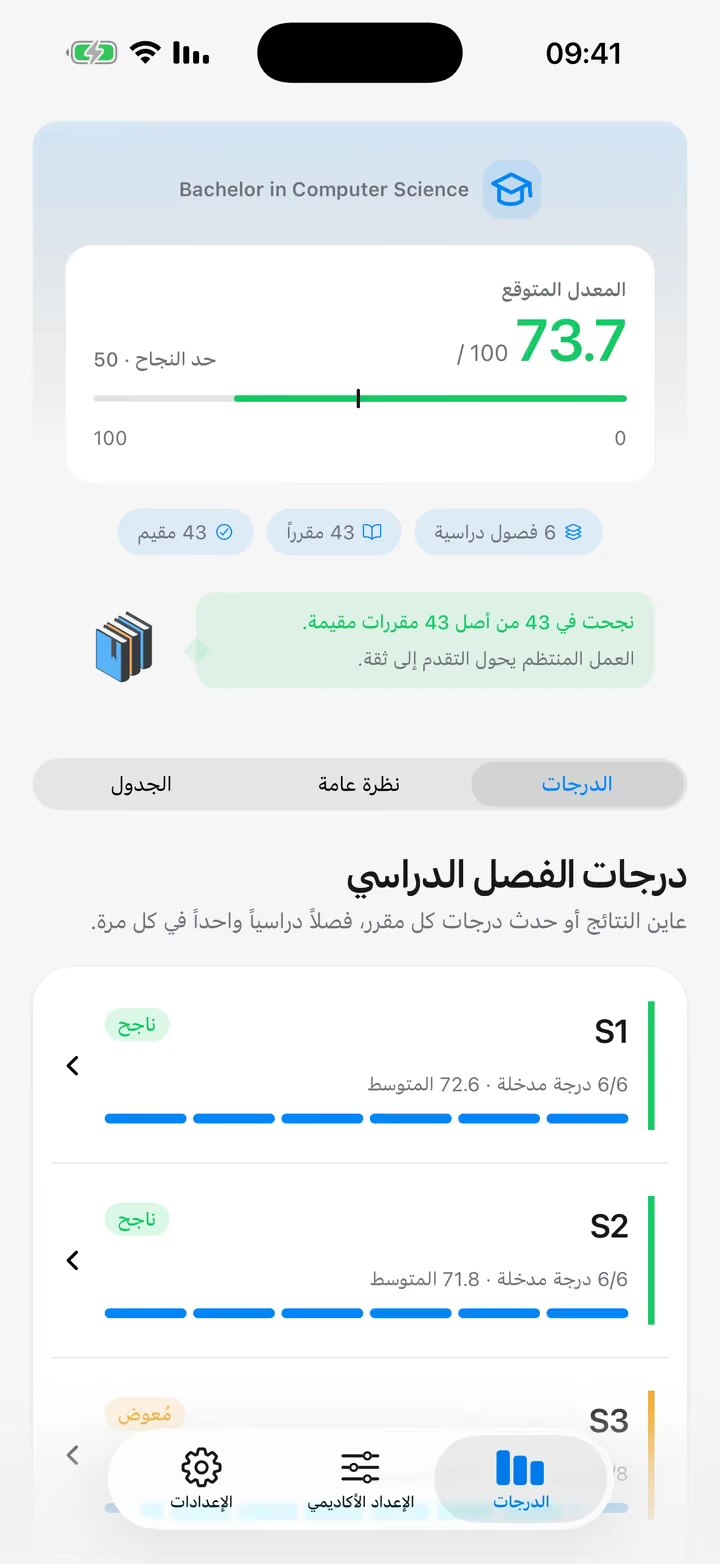
The app's Grades tab: a projected average of 73.7 out of 100 above the pass mark of 50, and the semesters listed below itThe Academic setup screen with the Bachelor in Computer Science plan active and its semesters S1 to S6The Grades tab with a projected average of 73.7 out of 100 and semesters S1 and S2 passedThe Academic overview with 180 of 180 credits earned, 42 passes, one compensated course and a semester chartThe same Grades tab in Arabic, reading right to left
The app itself, recorded on iPhone.

Awlak Benjah?

Track degrees, semesters, courses and grades out of 100, and see your projected average against the pass mark.

Coming to iOS and Android

No account, no cloud: your grades never leave your phone.

Every degree, filed like a folder

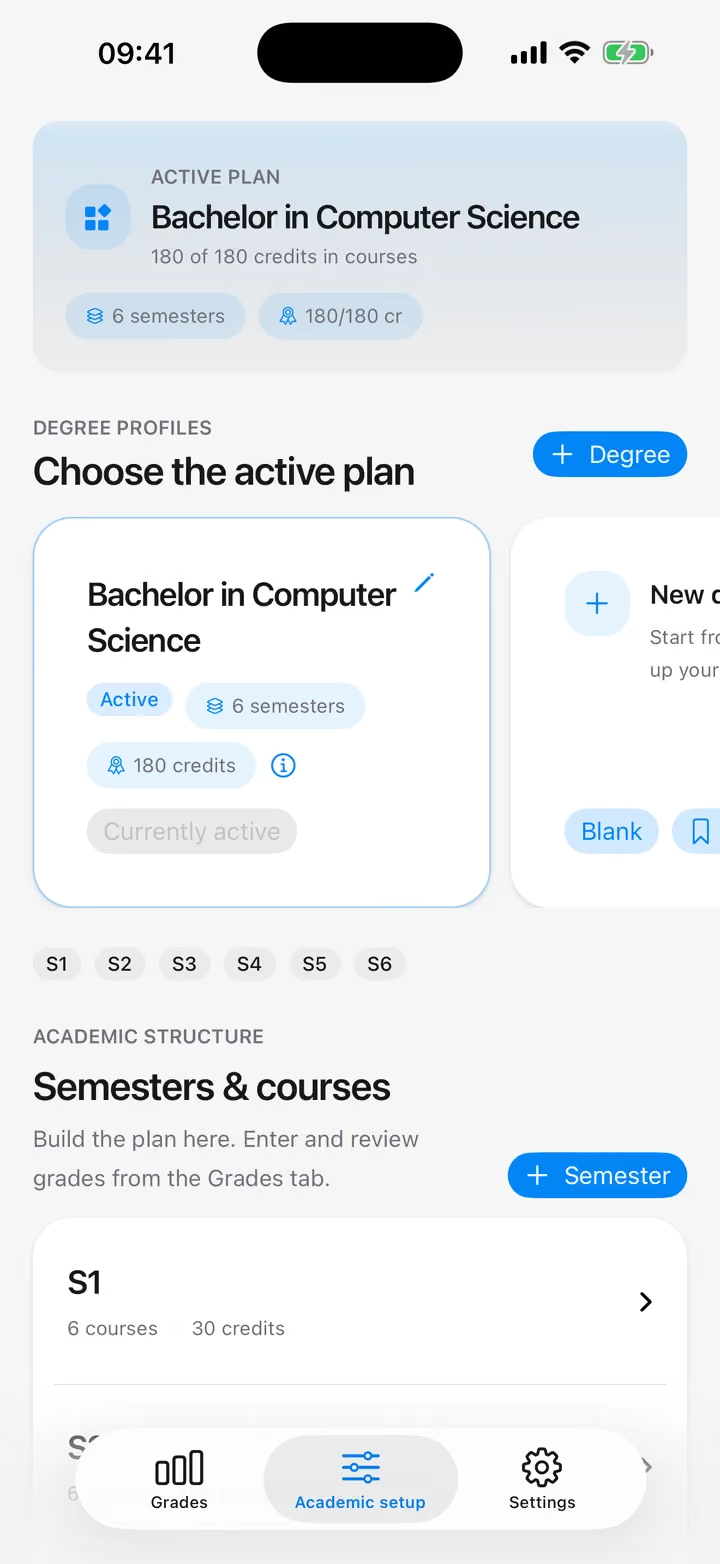
Each degree is a folder and each semester a divider. Start from a preset or build your own, and keep several programs side by side.

The Academic setup screen with the Bachelor in Computer Science plan active and its semesters S1 to S6

Your average, worked out as you go

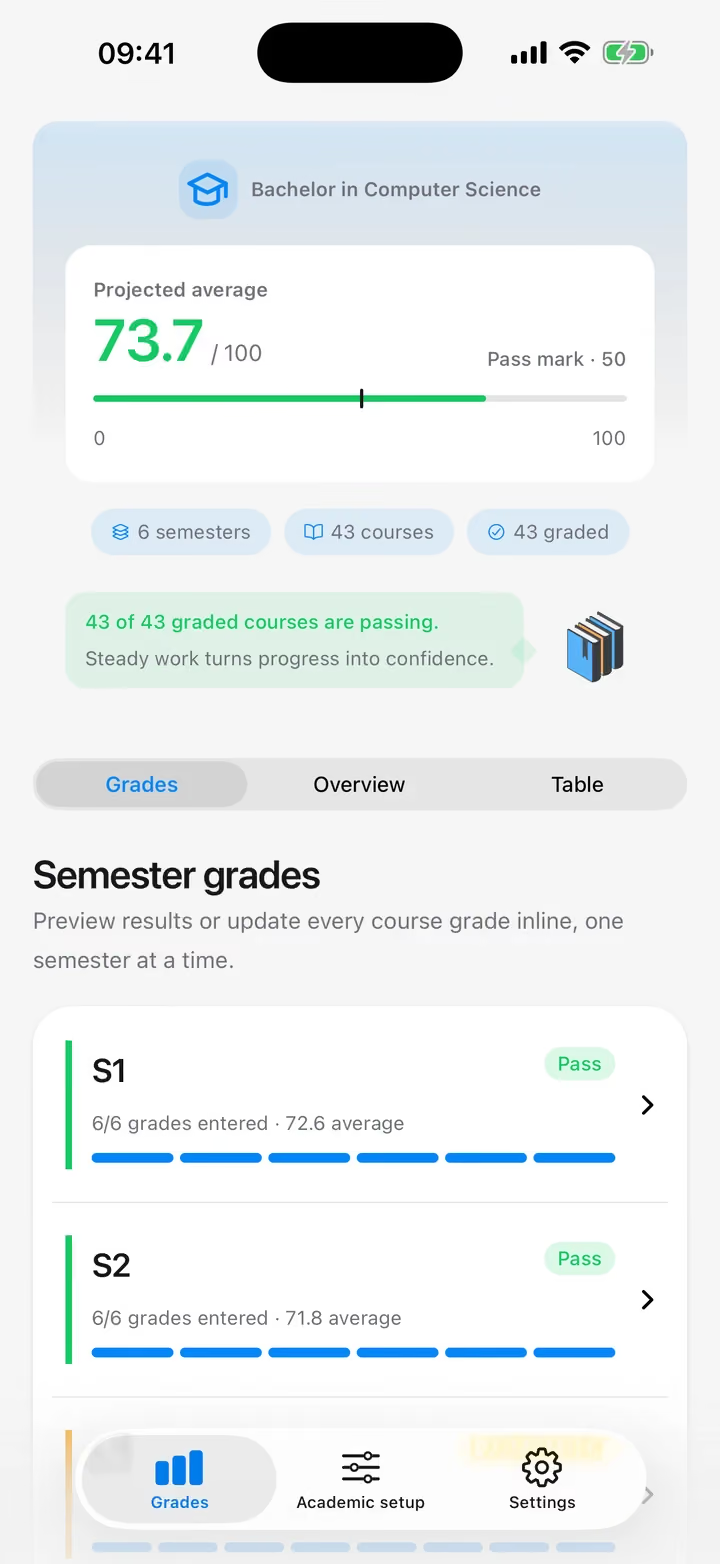
Enter a grade and the semester and degree averages update on the spot.

Projected average73.7/ 100

Pass mark 50

  • A projected average out of 100

    Every grade is weighted by its credits and measured against the pass mark of 50, semester by semester and for the whole degree.

  • Compensation, worked out for you

    Grades from 40 to 49 are compensated when the semester average is at least 55 and the course credits match the semester total.

The Grades tab with a projected average of 73.7 out of 100 and semesters S1 and S2 passed

The whole degree at a glance

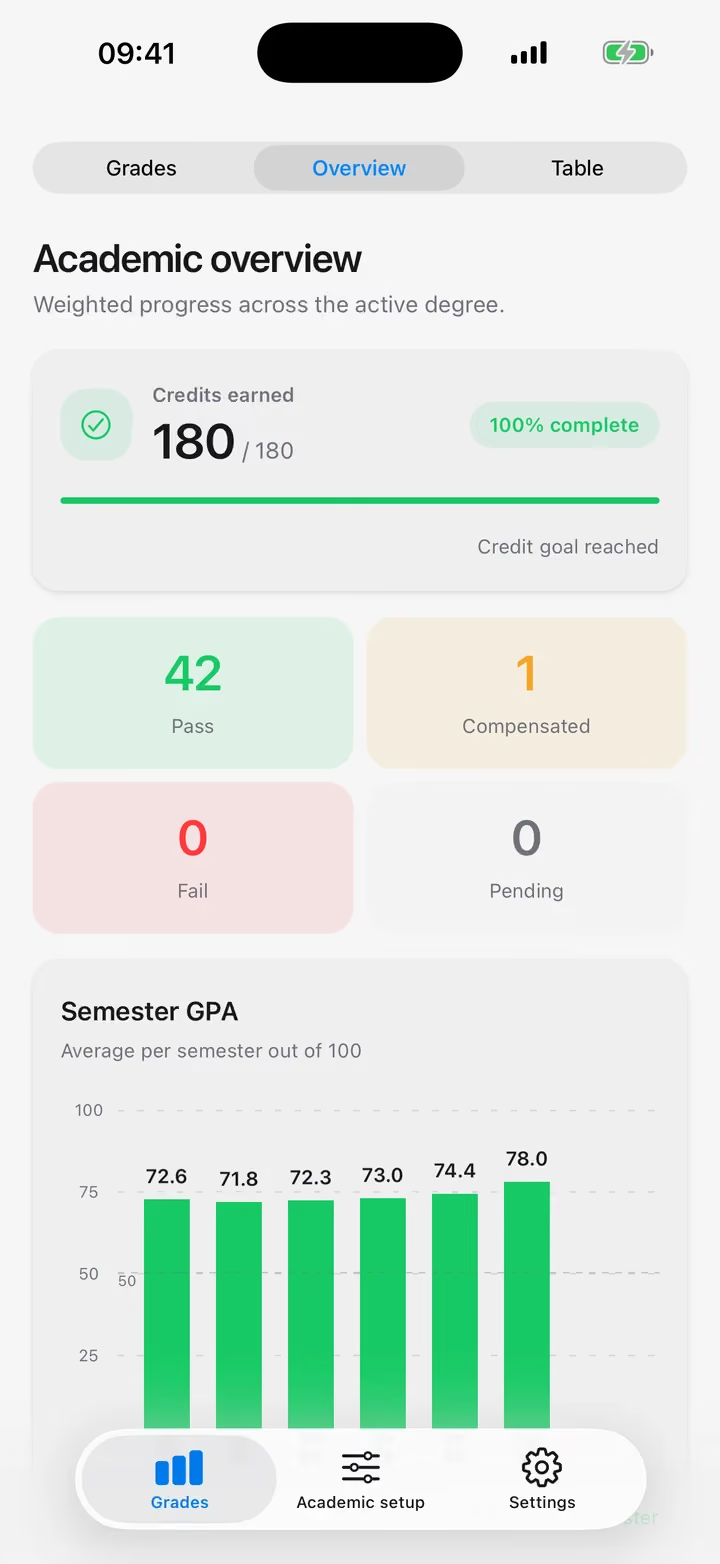
Compare semester averages on a chart, or scan every result in one table and tap a course to edit it.

Credits earned180/ 180 credits

Credit goal reached

The Academic overview with 180 of 180 credits earned, 42 passes, one compensated course and a semester chart

Yours alone, in your language

Your grades are nobody's business but yours.

  • Your grades never leave your phone

    No account, no cloud, nothing to sync. Your degree lives on your device and works without a connection.

  • English, French and Arabic

    Switch language at any time. In Arabic, every screen reads right to left.

The same Grades tab in Arabic, reading right to left

Start tracking your degree

Free, offline and private.

Coming to iOS and Android

Grade us. We can take it.

Found a bug, missing a feature, or just curious? Enroll in a course below, write your message, and send it — it opens in your email app, addressed straight to the developer.

What helps us help you

  • The app version, from Settings › About
  • Your phone and its system version
  • The language the app is in

You'll hear back within a few days.

Or write to support@awlak-benjah.com

Your feedback

Semester ∞, always in session

Pick a course
Inquiry type

Compensation rule: every message counts as a pass.